
Skip to content

BMB Support

  • Home
  • *Request Support!*
  • About Us
  • Backups
  • Files
  • Current Page Parent Help and Info

macOS Setup for Xerox (Admin Office)

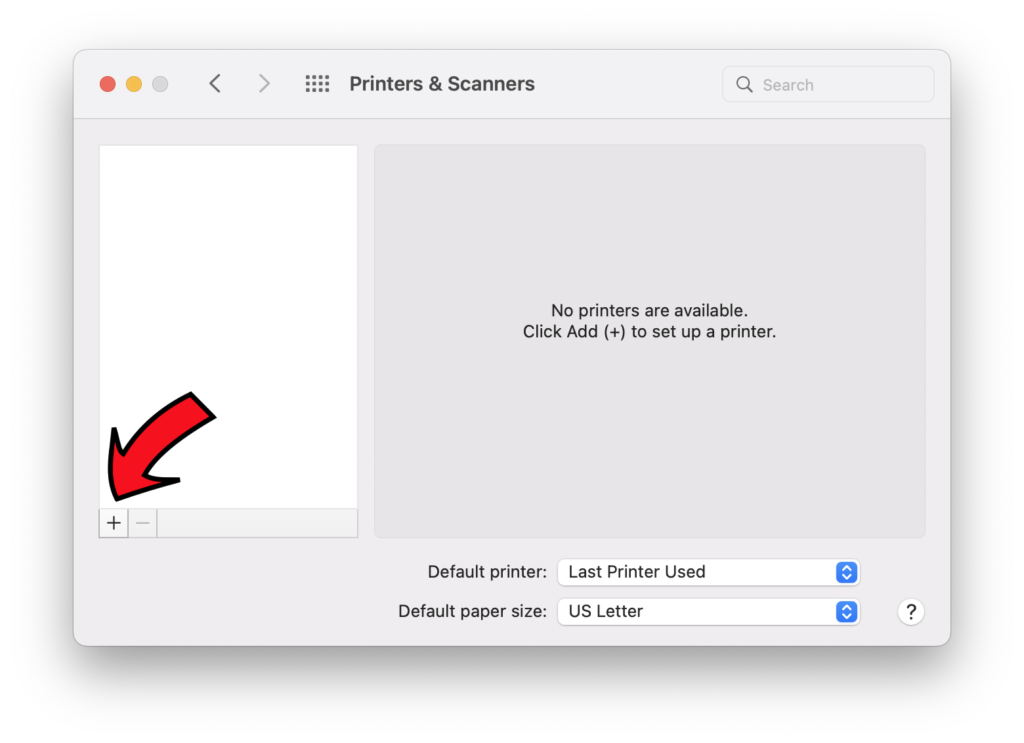
Step 1: Open System Preferences, go to Printers & Scanners, then click the + sign to open the Add Printer window.
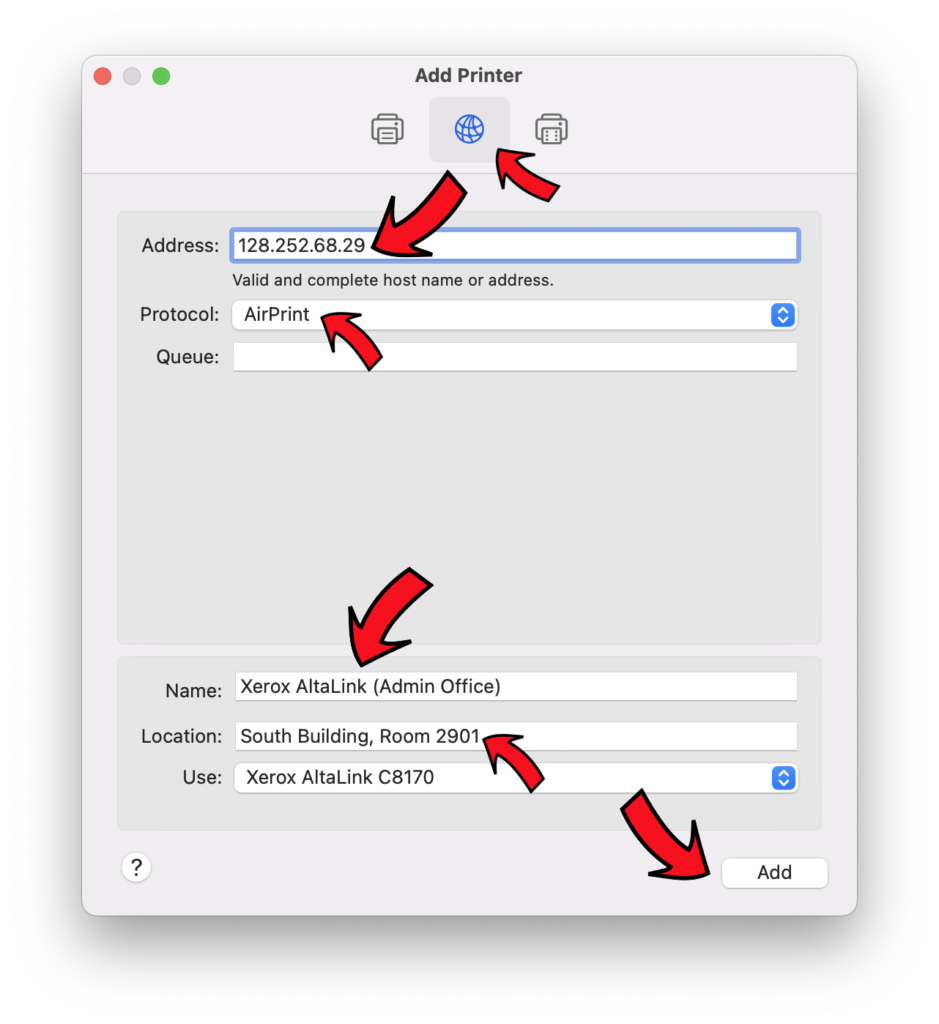
Step 2: Type in the printer’s IP address, make sure AirPrint is the selected protocol, give the printer a descriptive name, then click Add.
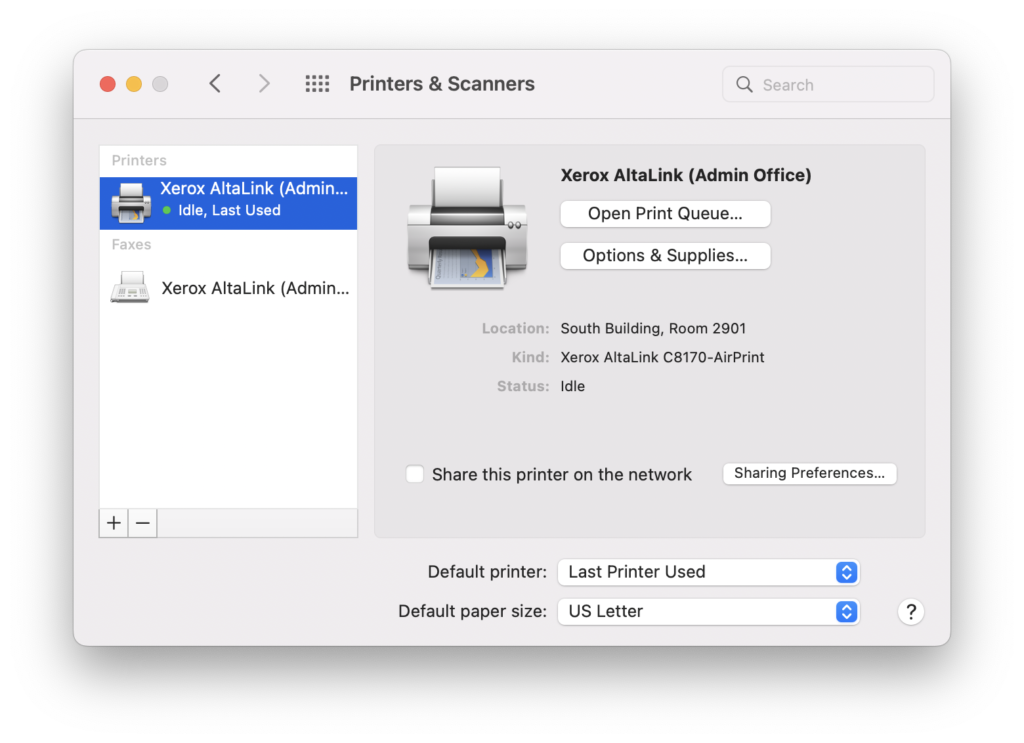
Step 3: There is no step 3! The printer has been added!
  • Home
  • *Request Support!*
  • About Us
  • Backups
  • Servers
  • Files and Software
    • Adobe Alternatives
  • Help and Information
    • Emergency Preparedness
    • BMB ID
    • Account Safety
    • Email Information
    • BMB WiFi Information
    • Documents and Guides
    • WashU Box
  • Main Site
  • Home
  • *Request Support!*
  • About Us
  • Backups
  • Servers
  • Files and Software
    • Adobe Alternatives
  • Help and Information
    • Emergency Preparedness
    • BMB ID
    • Account Safety
    • Email Information
    • BMB WiFi Information
    • Documents and Guides
    • WashU Box
  • Main Site
  • Home
  • *Request Support!*
  • About Us
  • Backups
  • Servers
  • Files and Software
    • Adobe Alternatives
  • Help and Information
    • Emergency Preparedness
    • BMB ID
    • Account Safety
    • Email Information
    • BMB WiFi Information
    • Documents and Guides
    • WashU Box
  • Main Site

BMB Support © 2026. All Rights Reserved.